

If you’re looking for a smooth and exciting way to enjoy online casino games in South Africa, the Jackpot City App is a top choice. Packed with blockbuster slots, live dealer games, and regular promotions, it gives players the full casino experience right from their phone or desktop. Whether you’re spinning reels after work or joining a live blackjack table on the weekend, the Jackpot City App makes it easy to log in, claim bonuses, and get straight to the action.
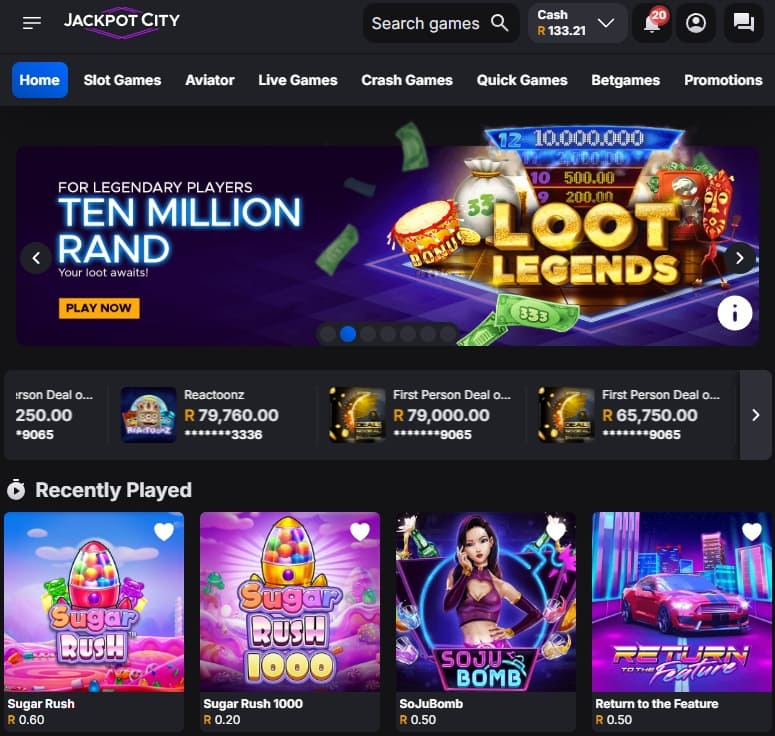
How to Register and Log In
Before you can start using the Jackpot City App, you’ll need an account. The process is quick:
- Visit the official Jackpot City site at www.jackpotcity.co.za or open the app.
- Click the Sign Up button and enter your details (name, email, mobile number, and password).
- Opt in for the welcome bonus during registration.
- Make your first deposit from just R50 using methods like VISA, Ozow, or Apple Pay.
- Enjoy your welcome rewards, including up to R4000 and a spin on the Big City Wheel for extra prizes such as free spins or Aviator flights.

Common Login Issues and Fixes
Even the best apps can run into hiccups. Here’s how to deal with them:
- Forgotten details: Use the “Forgot Password” option or contact support by live chat, email (support@jackpotcity.co.za), or phone.
- Account locked: After too many failed attempts, your account may lock for 15 minutes. If that happens, reach out to support to verify and unlock.
- KYC issues: Upload proof of ID and banking details under “My Account” to complete verification.
- Technical problems: Use updated browsers like Chrome or Safari, clear your cache, and disable ad-blockers for smoother access.
Staying Secure on the Jackpot City App
Your bankroll and personal details deserve top-level protection. Follow these tips:
- Create strong, unique passwords and update them regularly.
- Enable two-factor authentication for extra security.
- Avoid logging in on public Wi-Fi. If you must, use mobile data.
- Always check for the padlock icon in your browser, confirming 128-bit SSL encryption.
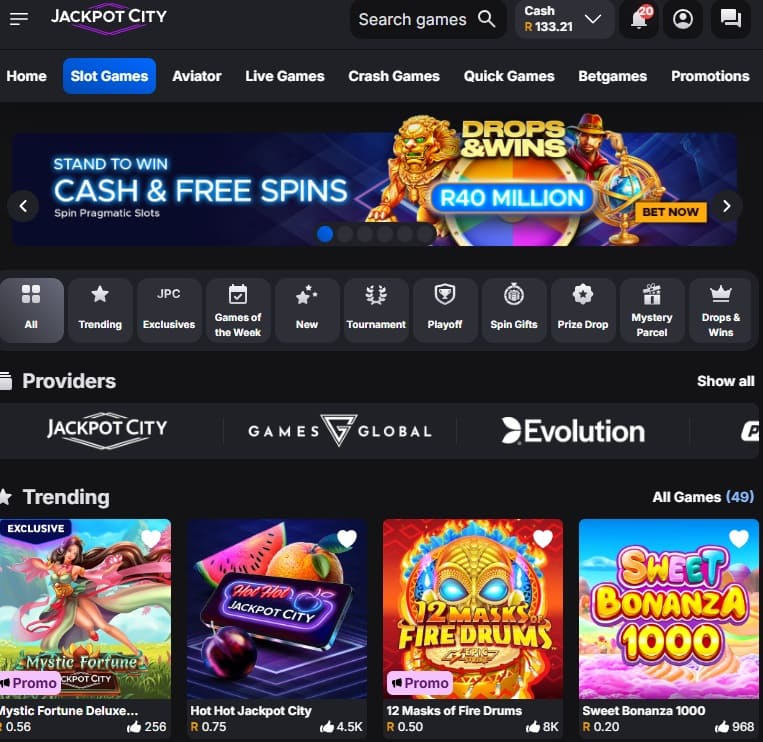
How to Download the Jackpot City App
The Jackpot City App is optimised for both iOS and Android users.
iOS Users
- Download directly from the Jackpot City Casino site.
- Open the app, allow notifications, and log in.
- Enable Face ID or Touch ID for fast, secure access.
Android Users
- Download the APK file from the Jackpot City site.
- Approve installation under “Settings” > “Security”.
- Log in and toggle fingerprint or face unlock for instant entry.
Both versions offer smooth gameplay, quick loading times, and efficient live dealer streams.
Support and Responsible Gambling
If you ever need help, Jackpot City offers multiple support options:
- Live Chat available 24/7.
- Email responses within 12 hours.
- Telephone support at +27 762 113 405.
For responsible gambling, players can set deposit limits or self-exclude by contacting the support team. Jackpot City also links directly to South African responsible gambling resources.
Why Choose the Jackpot City App
Jackpot City has been a trusted brand for years, offering top-quality slots, table games, and live dealer options from providers like Evolution and Play’n GO. South African players can expect:
- Hundreds of casino games, including slots, blackjack, roulette, and crash games like Aviator.
- A generous welcome bonus worth up to R4000 plus spins on the Big City Wheel.
- Secure deposits and withdrawals using South African-friendly methods.
- Fast mobile play with the Jackpot City App for iOS and Android.
Final Thoughts
The Jackpot City App is built for South African players who want convenience, security, and excitement all in one place. With easy registration, safe login, great bonuses, and a wide choice of games, it’s one of the best mobile casino apps available. Download the Jackpot City App today, claim your welcome bonus, and start spinning the reels wherever you are. If you would like to know more about Jackpot City then check out our Jackpot City review, otherwise visit The Gambler for more guides, news and tips.
Warren’s been in the betting game for over 15 years, testing sites, chasing bonuses, and figuring out what actually pays and what doesn’t. He’s spent plenty of time on Spina Zonke, with Hot Hot Fruit being a long-time favourite. At The Gambler, he shares real, straight-talking insights to help South African players get more value from their play and stay away from the sites that aren’t worth it.